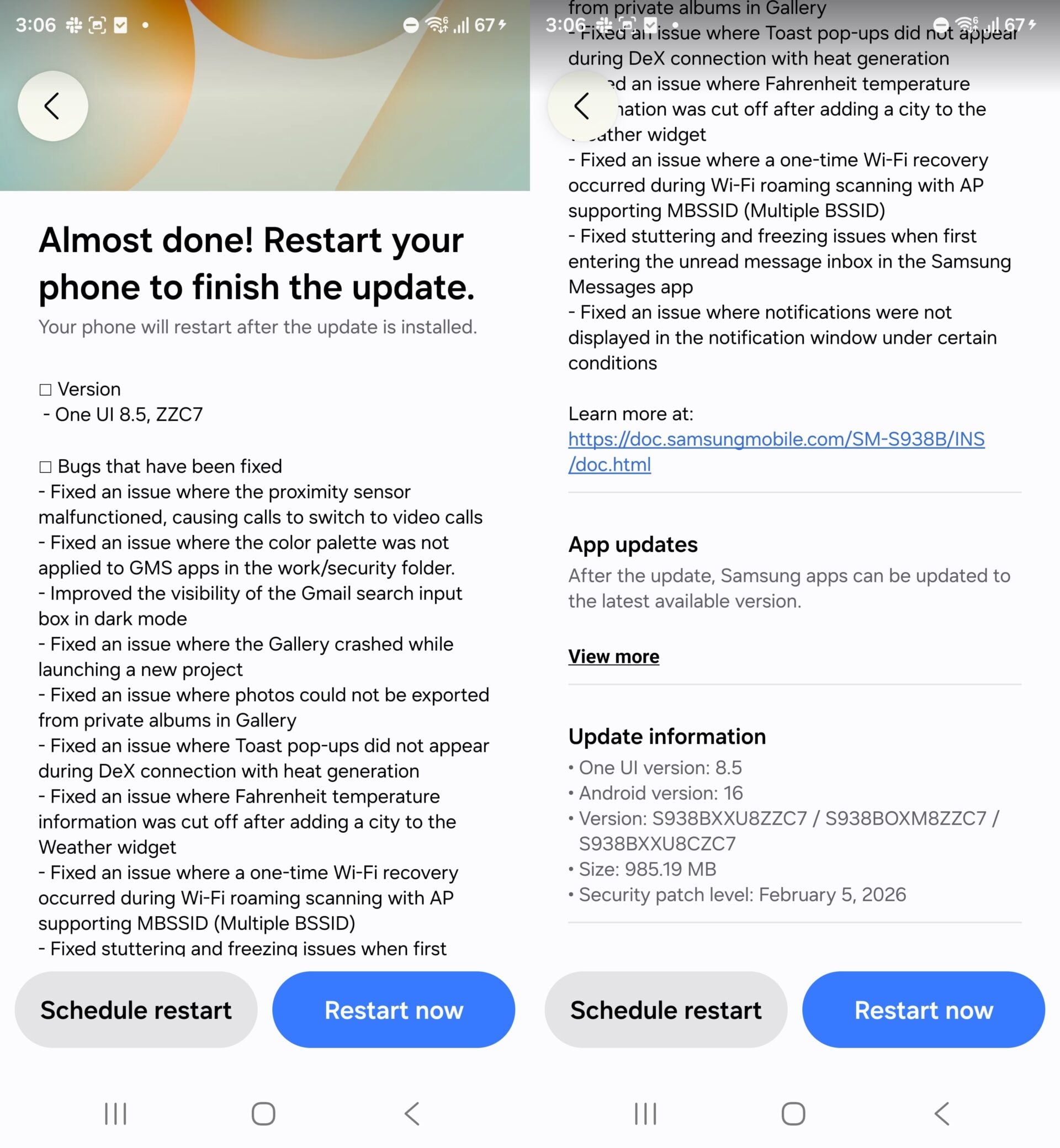

Samsung has released another One UI 8.5 beta update for the Galaxy S25 series. It is the seventh beta update since the company opened the One UI 8.5 Beta Program for its phones a few months ago. Many people expected to see the stable update instead, as it already debuted on the Galaxy S26 series earlier this week.
The One UI 8.5 Beta 7 update is now available for the Galaxy S25, Galaxy S25+, and Galaxy S25 Ultra in Germany, India, and South Korea. The update comes with a firmware version ending in ZZC7 and has a download size of 965.84MB. It includes the February 2026 security patch instead of the latest monthly security patch.
Galaxy S25 gets One UI 8.5 Beta 7 update: Complete changelog
The update brings a lot of bug fixes and stability improvements. You can check the full changelog below.
- Fixes an issue where a voice call unexpectedly switches to a video call.
- Fixes an issue where the Google Mobile Services (GMS) app color palette is not applied in Work Profile or Secure Folder.
- Improves the visibility of the Gmail search input field in dark mode.
- Fixes a forced shutdown issue when creating a new project in the Gallery app.
- Fixes an issue where photos from Private Albums fail to export in the Gallery app.
- Fixes an issue where a toast notification does not appear during overheating when using DeX.
- Fixes an issue when adding cities in the Weather widget and improves a one-time Wi-Fi recovery problem that occurs during MBSSID support Access Point (AP) and Wi-Fi roaming scans.
- Fixes stuttering and freezing when entering the unread message inbox in the Samsung Messages app.
- Fixes an issue where notifications are not displayed under certain conditions.

If you have a Galaxy S25 series phone enrolled in the One UI 8.5 beta program, you can check for the update by navigating to Settings > Software update and tapping Download and install. Once the update is downloaded, tap Install now to begin the installation process. The phone will restart after a few minutes.
This could be the final beta update for the Galaxy S25 series, and Samsung may release the stable version soon.


Post a Comment